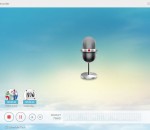
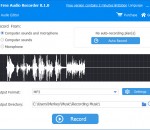
One of the outstanding characteristics of EarCatch Ringtone Express is its ability to cut a part of audio file to remove silence or unwanted sections, so you can easily have your favorite segment of a song or the important part of an interview saved as separate file. If you want to save just a very short portion as ringtone on your mobile, you can select this region and click "Trim" button to eliminate the remainder.
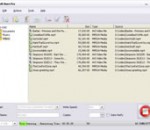
Xilisoft Burn Pro can burn audios/videos, OS, ISO image files and any other documents to data CD/DVD of various formats including CD-R, CD-RW, DVD-R, DVD+R, DVD-RW, DVD+RW and DVD+R DL for backup. Editing image file and burning it to data CD/DVD can also be accomplished in a breeze. Moreover, this ideal data CD/DVD burner even allows you to make CD/DVD disc into ISO image or copy data CD and unprotected DVD from one disc to another directly.
Stamp ID3 tag editor allows you to edit or add file information to mp3 files such as genre, title, artist, album, year, track number.Just add the files you want to edit to the list, enter the new information, and then click the stamp button.
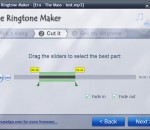
Free Ringtone Maker is an extremely simple and handy Windows software for making your own free ringtones in 3 easy steps. Just pick a song, cut it by dragging a pair of sliders, and then you get your ringtone. You can also add some fade-in and fade-out effects to the ringtone.
Free Audio Editor is an easy to use audio recorder and editor. Allow cut, adjust speed, change voice, audio mix and join audio files on your recordings or other audio files. Supports various output formats with high quality, can playback on any music player or portable devices. This software is also an audio toolbox which contains many other useful tools, such as ID3 tag editor, CD Ripper, CD Burner and so on.
ImTOO AVI to DVD Converter is a fast AVI to DVD burning software tool which helps you convert AVI, MPEG, DAT, M2V, VOB to DVD that is playable on home DVD player, and burn these videos to DVD disc, DVD folder or ISO file. It also provides you with many DVD authoring features to create a distinctive DVD menu, clip video file freely, adjust video effect, add subtitles and audio tracks, etc.
Cut, join, trim, mix, delete parts, split with AVS Audio Editor. Manage your tracks in MP3, FLAC, WAV, M4A, WMA, AAC, MP2, AMR, OGG, etc. Record audio data from various inputs like microphone, vinyl records, and other input lines. Create a unique ringtone for iPhone. AVS Audio Editor is a part of the AVS4YOU.com package. Register once at avs4you.com and work with all tools from the AVS4YOU.com package. Subscribe for $39/year or $59/lifetime.
Ignition is a CD/DVD burning optimizer. It helps you saving space on your media by optimizing the way files are placed on the CDs/DVDs of your set. For example if your backup fits on 3-4 CDs, a manual files organazation might lead on a 4th with only 10 Mb of data when a better organization would have only required 3 CDs. Thanks to Ignition, you'll save medias, time and money.
Best4Video DVD Ripper is an outstanding tool for ripping, copying, burning and backing up any DVDs. Copy & rip your DVD to PC, iPod, iPhone, DivX and DVD formats easily and fast. This powerful software allows you to backup your whole DVD movie collection preserving the same quality at only 10% of space. Beautifully designed and friendly graphical user interface will make CD, DVD burning, ripping the easy thing even for an inexperienced PC user.
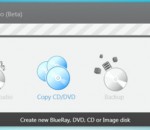
Burn your discs quickly and easily with AVS Disc Creator. Copy personal home audio in the original quality. Write your data onto Blu-ray (BD-R, BD-RE) discs. Create boot CD/DVD discs. Create an image of your personal video and save it on PC. Or make an ISO image directly from a disc or HDD. All major media are supported: DVD+/-R, DVD+/-RW, DVD-RAM, Double/Dual Layer DVD, etc.
If you are looking for the quickest and the easiest way to convert your entire photo collection into DVD movies then look no further than ImTOO Photo DVD Maker. Using this nifty photo to DVD converter, creating a DVD movie from your photos is simple and straightforward: drag and drop your photos to application, insert a blank DVD disc, then click “Burnâ€! You can also create ISO files and DVD folders for your photo library.